2025 Ultimate Guide to Picking the Perfect Student Computer


Choosing the best computer for students is no longer just a practical option; it is a must in today's hyper-digital classroom! Whether attending virtual lectures or submitting code assignments, the best computer choice should be able to perform a wide range of academic tasks, including portability, affordability, and durability. This guide for 2025 will help parents find a school-ready device for their children or students needing a powerful laptop for intense college coursework and navigate the cluttered options of student laptops and mobile computers.
This article will consider the best approach to choosing the correct device according to age group, academic level, budget, and personal use. We will also compare some of the most commonly used options in budget mobile computers and examine the key specs to consider for any school-worthy tech purchase.
Why Having the Right Student Computer Matters
Education no longer consists of textbooks and whiteboards. Students today require devices that support:
- Online research
- Multimedia projects
- Access to cloud storage
- Learning management systems (Google Classroom, Canvas)
- Video-conferencing (Zoom, Microsoft Teams)
- Productivity Software (Office 365, Google Docs)
Without the devices or appropriate tools, students can quickly fall behind. Choosing the best computer for students facilitates learning, collaboration, and skill-building.
Key Considerations Before Buying a Student Computer
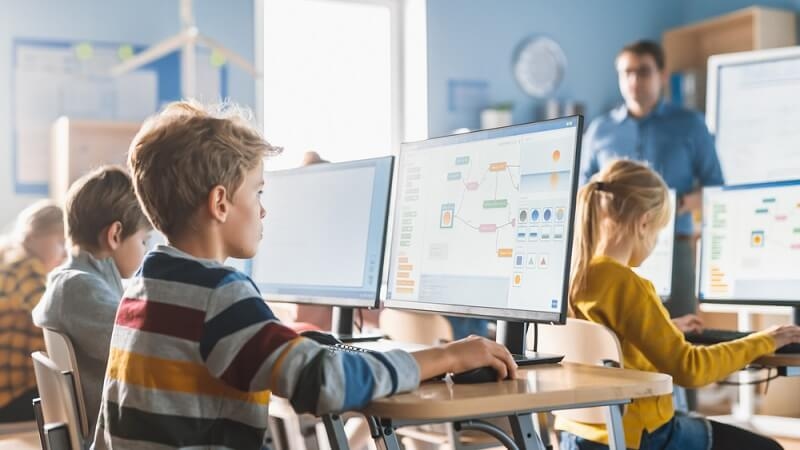
1. Age and Education Level
Different age groups need different devices:
Elementary (Ages 6-11)
We want lightweight, durable, and simple devices such as Chromebooks and tablets with keyboards—they should have only basic functionality to read, type, and run some educational and instructional apps.
Middle School (Ages 12-14)
At this level, they need a slightly better (more robust) student laptop that can handle light multitasking and some productivity apps.
High School (Ages 15-18)
Now the requirements grow to support media editing, multitasking, and using sophisticated software.
College/University
They still have cheap mobile computers at this level, A, but students are significantly more concerned with performance and battery life. They use computers to run complex programs like AutoCAD, SPSS, or Adobe Creative Suite.
2. Portability
Lightweight, thin laptops are best for students constantly on the move. Consider mobile computers for students under 4 lbs for easy transport in backpacks.
3. Battery Life
Look for a device that lasts a full school day—8 to 12 hours is ideal. Many school-ready tech devices now offer fast-charging features for convenience.
4. Budget
Affordability matters. Thankfully, many manufacturers now offer solid budget mobile computers under $500, particularly Chromebooks and some Windows laptops.
Types of Student Computers in 2025
1. Chromebooks
Best for: Elementary and middle school
Pros:
- Affordable (many models under $300)
- Fast boot times
- Integrated with Google Classroom
Cons:
- Limited offline capabilities
- Not ideal for heavy-duty apps
2. Windows Laptops
Best for: High school and college
Pros:
- Versatile software compatibility
- Widely used in workplaces
- Touchscreen options available
Cons:
- More expensive
- Requires antivirus protection
3. MacBooks
Best for: College students in creative or design fields
Pros:
- Excellent display and performance
- Great for multimedia and design
- Long-lasting build quality
Cons:
- Expensive (starting around $999)
- Limited port options
4. 2-in-1 Tablets or Hybrids
Best for: Students who prefer a touchscreen and flexibility
Pros:
- Functions as both a tablet and a laptop
- Good for note-taking and drawing
- Lightweight
Cons:
- Often lower performance
- Smaller keyboard layout
Essential Specs for School-Ready Tech
When you're evaluating student laptops or mobile computers for students, here’s what to look for:
| Spec | Recommendation |
| Processor | Intel i3/i5, AMD Ryzen 3/5, or Apple M1/M2 |
| RAM | Minimum 8 GB for high school and college |
| Storage | SSD preferred (256 GB or more) |
| Display | 13–15 inches, Full HD (1920x1080) |
| Battery | At least 8 hours |
| Weight | Under 4 lbs |
| Operating System | Chrome OS for young students; Windows or macOS for older students |
Top Picks for 2025: Best Student Computers
Best Budget Chromebook: Lenovo Flex 3 Chromebook
- Price: ~$299
- 11.6-inch touchscreen
- 64 GB eMMC, 4 GB RAM
- Ultra-light and flexible
Ideal for elementary students and light use.
Best Mid-Range Laptop: Acer Aspire 5
- Price: ~$499
- Intel Core i5, 8 GB RAM, 256 GB SSD
- 15.6-inch Full HD display
- Backlit keyboard and long battery life
A solid option for high schoolers looking for value.
Best for Creative College Students: MacBook Air M2 (2025)
- Price: Starting at $999
- Apple M2 chip, 8–16 GB RAM
- Exceptional screen and battery
- Lightweight yet powerful
Perfect for media majors or those needing advanced software.
Best 2-in-1 Hybrid: Microsoft Surface Go 4
- Price: ~$549
- 10.5-inch display with touchscreen
- Detachable keyboard
- Ideal for notes, drawing, and casual use
Excellent school-ready tech for students who enjoy flexibility.
Helpful Resource: Cybersecurity in 2025: Protect Your Computer from Hackers
How to Choose the Right Computer for Your Needs
Here’s a quick checklist for matching student type to tech:
| Student Type | Ideal Device |
| Elementary | Chromebook or iPad with keyboard |
| Middle School | Budget Windows laptop or Chromebook |
| High School | Windows laptop with mid-range specs |
| College | Windows or MacBook with high performance |
| Creative Fields | MacBook or Surface Laptop Studio |
| On a Budget | Acer Aspire or Lenovo IdeaPad series |
Tips for Maintaining a Student Laptop
Maintaining a reliable pet care— oops, laptop care schedule! (That’s what happens when you write pet blogs, too.)
Maintenance Tips:
- Regular software updates
- Use protective cases and keyboard covers
- Invest in cloud storage backups (Google Drive, OneDrive)
- Avoid installing unnecessary apps
- Use antivirus software for Windows machines
- Reboot frequently to keep performance optimal
Building a computer routine, like a daily pet task list, ensures longevity and peak performance.
Accessibility and Inclusivity Features to Consider
Modern school-ready tech should support students with diverse needs:
- Screen readers and text-to-speech tools
- High-contrast modes and large fonts
- Keyboard customization
- Voice dictation and handwriting-to-text tools
Ensure the computer you choose offers accessibility settings to foster inclusive learning.
Frequently Asked Questions
Q: Are Chromebooks reliable for long-term investment?
A: Chromebooks are adequate for elementary school-age students, but getting enough functionality for more rigorous high school or college work can be hard. Your Chromebooks will run out of productive life based on hardware capacity and software adaptability.
Q: What is the best low-cost mobile device for students in 2025?
A: The Acer Aspire 5 and the Lenovo IdeaPad 3 are great options for under $500. The Lenovo Flex 3 Chromebook is ideal for young kids.
Q: Is 8 GB of RAM adequate for students?
A: For most students, 8 GB of RAM is adequate. However, 16 GB is more manageable if your applications are resource-intensive, such as Adobe or many programming environments.
Read Next: Gaming Laptops 2025: Top Models Delivering Good Performance
Final Thoughts: Equip Students for Success in 2025
The right computer is more than a piece of equipment; it empowers and inspires a student’s learning, development, and creativity. Finding the right computer will give students the tools to support their independence, problem-solving, and lifelong learning skills.
This guide will give you the information you need to make an informed decision, whether looking at budget mobile computers for students, comparing student laptops, or sourcing mobile computers for students with advanced specifications.
Let’s not forget that in 2025, technology will be as integral to student learning as pencil and paper. Therefore, selecting the correct device is essential. It will allow your students to flourish and become the best versions of themselves through technology.
This content was created by AI